8bit Mobile App
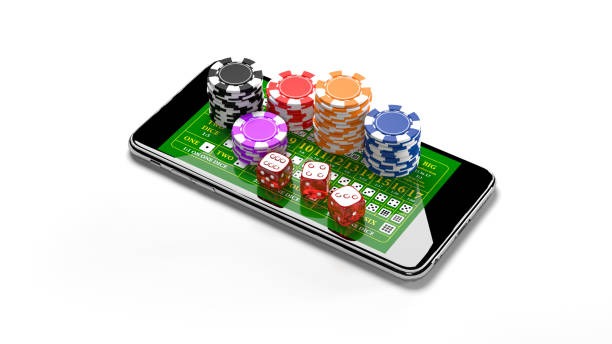
Mobile devices now account for the majority of online entertainment access across Southeast Asia, with users preferring the speed and convenience of dedicated apps over desktop browsers. We at 8bit have built our mobile experience to prioritize fast loading, secure login, and seamless access to football markets, live-dealer tables, and slot games from your phone.
- SHA256 Match
- and
- Installin
- Update
Our app is available for Android via direct APK download and for iOS through your mobile browser. Both paths offer the same core features: account management, subject to verification via DANA, e-wallet, mobile banking, local payment, online payment, e-wallet, and bank transfers, real-time game updates, and push notifications for important account events. Installation takes just a few minutes, and once you log in, your account syncs across all your devices.
This guide walks you through downloading 8bit, installing it on your phone, and getting started with your first session. We also cover device compatibility, common setup questions, and how we protect your data on mobile.
How to get 8bit on your phone
We offer three ways to access 8bit on mobile: Android APK download, iOS browser access, and a responsive web app. Choose the method that works best for your device.
Installation steps for 8bit
-
Download the 8bit APK or open the web app
For Android, tap the download button above and save the APK file to your phone. For iOS, open your browser and navigate to our web app. For web, simply visit 8bit.sbs from any mobile browser.
-
Install the app (Android only)
On Android, go to Settings → Security and enable "Unknown Sources" if you have not already. Then open your file manager, find the 8bit APK, and tap to install. Follow the on-screen prompts.
-
Create or log in to your 8bit account
Open the app or web app and either create a new account or log in with your existing username and password. If you are new to 8bit, you will be guided through account creation and KYC verification.
-
Add a payment method and start playing
Once your account is verified, add your preferred payment method — DANA, e-wallet, mobile banking, local payment, online payment, e-wallet, or your bank — and make your first deposit. You can then access all 8bit games and markets.

App vs. browser: which is right for you
Our native Android app and iOS web app both deliver the full 8bit experience, but each has distinct strengths. The app offers offline caching, so certain game data loads faster on repeat visits. Push notifications alert you to account changes, deposit confirmations, and special game updates — you can customize these in your app settings. The app also uses less data on slower connections because it compresses images and caches static assets. On the other hand, the web app requires no installation and works on any phone with a modern browser. If you prefer simplicity or do not want to enable unknown sources on Android, the web app is a solid choice. Many users keep both installed: the app for daily play and the web version as a backup.
Device compatibility and requirements
Our 8bit app runs on Android 7.0 and later, covering the vast majority of phones in use today. For iOS, we support iOS 12 and later through your mobile browser. If your device is older than these versions, you can still access 8bit through the web app on any browser. We regularly test 8bit on popular devices across Jakarta, Surabaya, Bandung, and Medan to ensure smooth performance on local networks.
Troubleshooting common installation issues
If you encounter problems installing the 8bit app, the most common cause is that your phone blocks installation from unknown sources. On Android, go to Settings → Apps → Special app access → Install unknown apps, find your browser or file manager, and toggle the permission on. If you see a certificate warning, this is normal for APK downloads — tap "Install anyway" to proceed. If the app crashes after installation, try clearing your phone's cache (Settings → Apps → 8bit → Storage → Clear Cache) and restarting the app. For iOS users, if the web app does not load, try clearing your browser cache or switching to a different browser. If you continue to experience issues, contact our support team through the app or visit our customer support page

Data, permissions, and account security on 8bit
When you install the 8bit app, we request only the permissions necessary to deliver our service: internet access for game streaming and transactions, storage access to cache game data, and notification permissions for account alerts. We do not access your contacts, photos, or location. All communication between your phone and our servers is encrypted using industry-standard TLS protocols. Your login credentials are never stored in plain text on your device. We use two-factor authentication to protect your account, and you can enable it in your account settings. If you lose your phone, you can log in from another device and change your password immediately. Your account remains secure as long as you keep your password private and enable 2FA.
- Encryption
- All data sent from the 8bit app to our servers is encrypted using TLS 1.2 or higher.
- Two-factor authentication
- Enable 2FA in your account settings to add an extra security layer using your mobile number or an authenticator app.
- Password reset
- If you forget your password, use the "Forgot password" link on the login screen. We send a reset link to your registered email.
- Lost device
- If your phone is lost or stolen, log in from another device and change your password immediately to secure your account.
Why we built 8bit for mobile first
Mobile is how most people in Southeast Asia access online entertainment. We designed 8bit with this reality in mind. Our app prioritizes speed — games load in seconds, not minutes. Deposits via mobile banking, local payment, online payment, e-wallet, mobile banking, and local payment are instant. Account verification happens in real time. Push notifications keep you informed without being intrusive. And because we cache game data locally, you can browse our catalog even on slower connections. Whether you are following Liga 1 from Jakarta, checking live-dealer tables during Idul Fitri, or playing slots during your commute, 8bit is built to work seamlessly on your phone.